
NumPy array viewer
| Document kind | tensor |
| Drawn from | a file — it can also be previewed in the file manager |
| Formats that open here | NumPy array (.npy) · NumPy archive (.npz) |
| Refuses to draw below | 240px wide |
What it draws
A NumPy array as a grid of its actual values, with its shape, its dtype and — where the numbers mean something — its range and spread.
An array is not a table, and the difference is what this canvas is built around. A table's identity
is its rows and columns; an array's is its shape and dtype, and it routinely has more than
two dimensions. So the last two axes are drawn as the grid, and every leading axis becomes an index
control. That is how NumPy itself is read: you pick a[7], then look at the face.
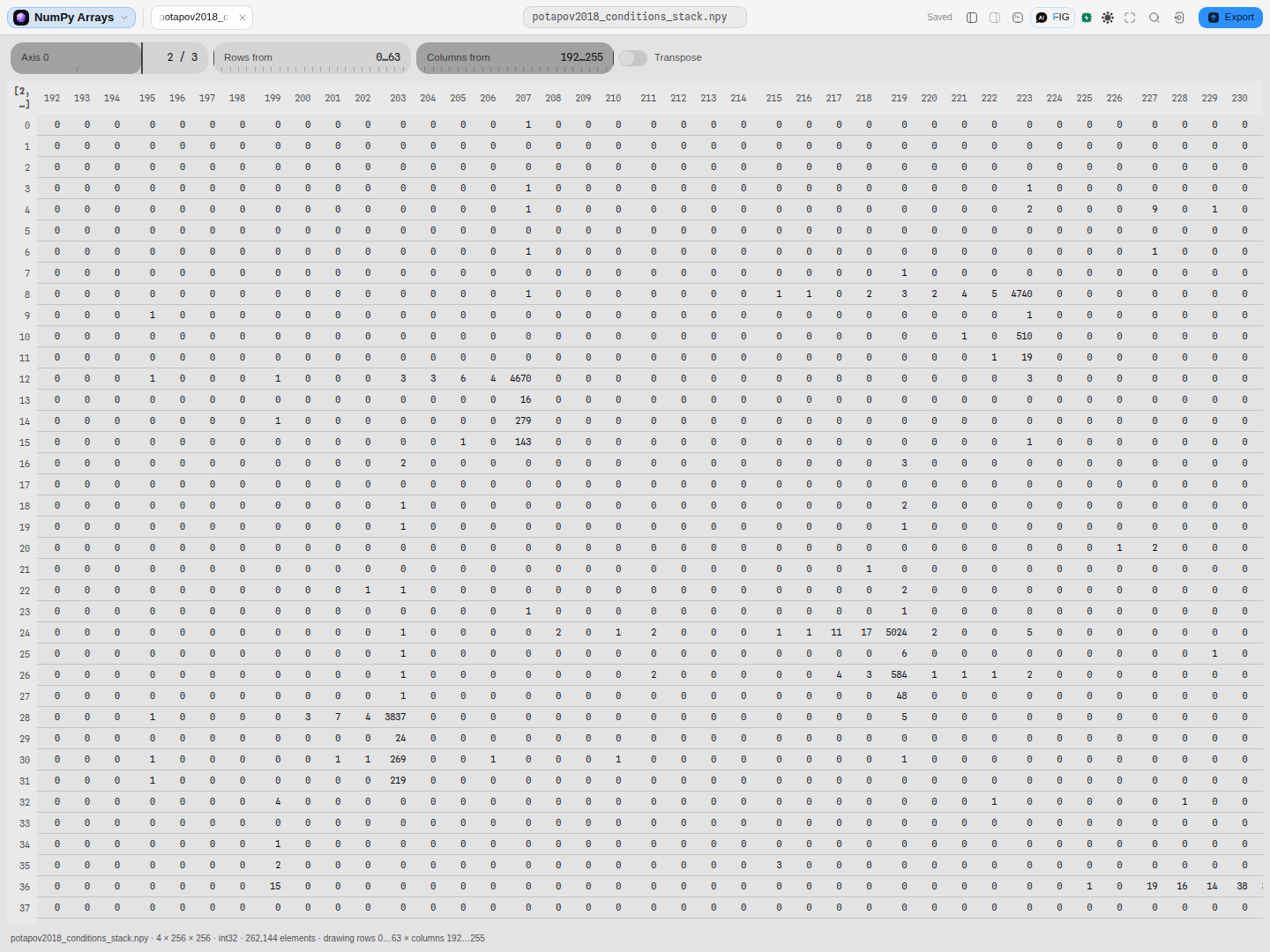 A (4, 256, 256) stack of ligation-count matrices. Axis 0 selects the condition; the grid is the 256 × 256 face, windowed to columns 192…255. The column numbers are the array's own — move the window and they move with it.
What opens in it
.npy, a single array, and .npz, an archive of several named arrays — both the plain
(numpy.savez) and the compressed (numpy.savez_compressed) form, which are the same format with
the members deflated.
Every dtype NumPy can write into these containers is read: booleans, every signed and unsigned
integer width, half, single and double floats, both complex widths, fixed-width bytes and Unicode
strings, datetime64 and timedelta64 across all thirteen unit families, void, and structured
dtypes including nested and sub-array fields — in either byte order, in C or Fortran storage order,
and in all three header versions.
Two things are deliberately refused rather than approximated:
- Object dtype (
|O). NumPy stores one of these as a Python pickle of the whole array, and unpickling executes arbitrary code. NumPy itself refuses to load one withoutallow_pickle=True; this refuses it always, and says so. - Extended-precision floats (
float96,float128and their complex counterparts). These are the platform'slong double, and no JavaScript type holds one. Rounding it to a double would silently change the value, so the file is turned away by name instead. Re-save asfloat64to view it.
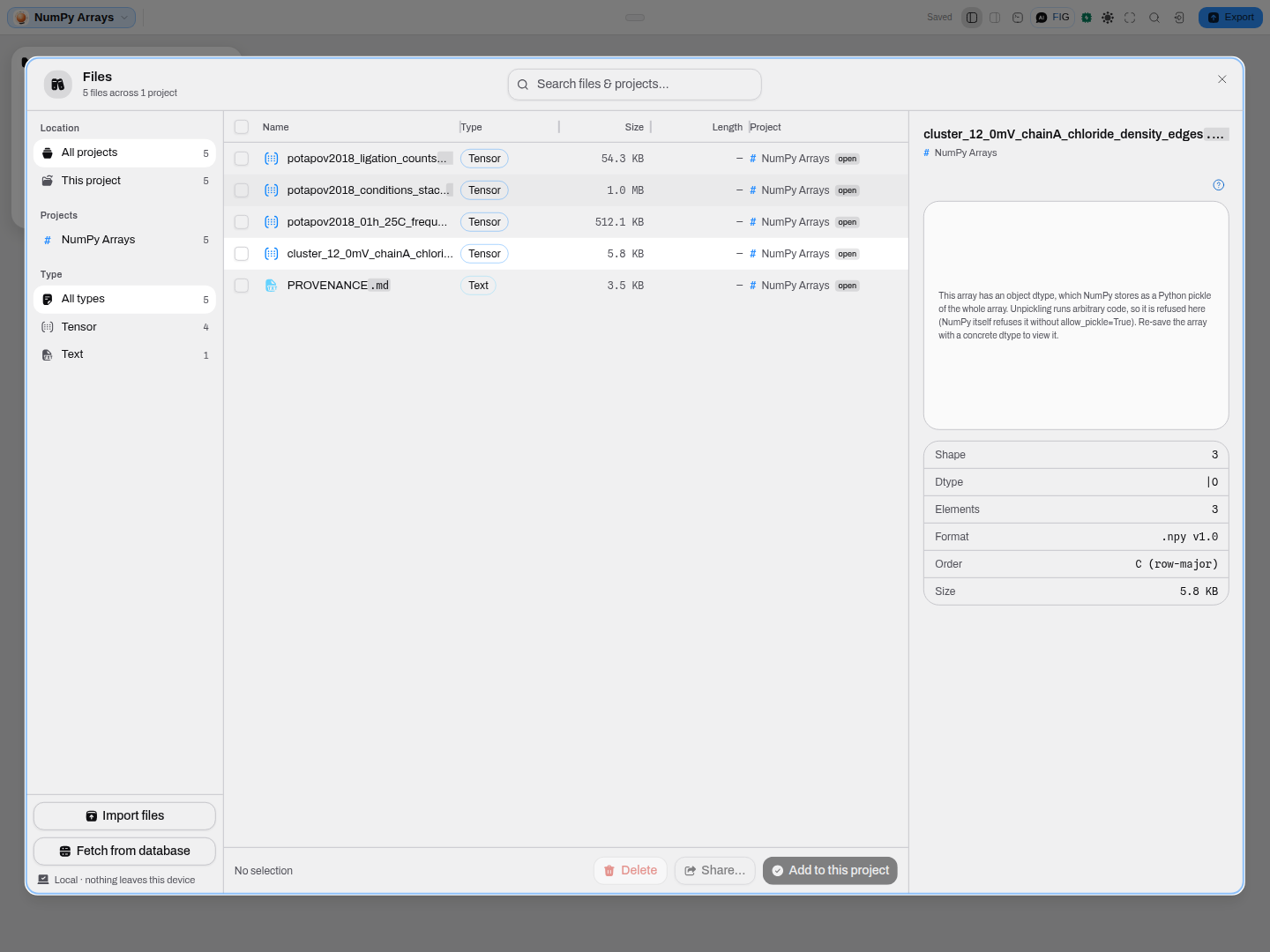 The refusal is specific, and the file's shape, dtype and format stay readable beside it — you can still find out what a file is even when it cannot be drawn.
What this computes
The values are the array's. What this canvas computes is how to present an n-dimensional object in two dimensions honestly, plus the summary statistics that make a face of numbers readable.
- Shape and dtype, read from the array's own header — these are the array's identity, the way rows and columns are a table's, and they are stated rather than inferred from the data.
- The axis split: the last two axes become the grid, every leading axis becomes an index control.
That is how NumPy itself is read — you pick
a[7], then look at the face — and it is why a three-dimensional array is not flattened into something that looks like a table. - Range and spread over the current slice, where the dtype makes them meaningful. They describe the face you are looking at, not the whole array, which matters the moment you step the leading axis.
- The window into the face, with the array's own indices carried on it. Move the column window and the numbers move with it, so a value is never read against the wrong index.
Two dtypes are refused rather than approximated, and the refusal is a computed answer:
- Object dtype (
|O) is stored as a Python pickle of the whole array, and unpickling executes arbitrary code. NumPy itself will not load one withoutallow_pickle=True; this refuses it always. - Extended-precision floats (
float96,float128and their complex counterparts) are the platform'slong double, and no JavaScript type holds one. Rounding to a double would silently change the value, so the file is turned away by name — re-save asfloat64to view it.
In both cases the file's shape, dtype and format stay readable beside the refusal, so you can still find out what a file is even when it cannot be drawn.
Reading it
- The row and column numbers are the array's own. When the window is moved to columns 192…255, the headers read 192…255. An index copied off this grid is an index that works in NumPy.
- Storage order does not change what you see. A Fortran-ordered array is stored column-major, and
it is read here in the same C order NumPy would report — so a
(3, 4)array reads as three rows of four whichever way it was written. The order is stated in the facts because it matters for how the file was produced, not for how it reads. - Integers are exact. 64-bit integers are read as big integers rather than through a double, so a value above 2⁵³ is the value in the file and not the nearest representable one.
datetime64andtimedelta64show their raw integer count and the unit is named in the dtype. They are not converted to calendar dates, because the month and year units are calendar-dependent and becauseNaTis a real value a reader has to be able to see.- A statistics row that is missing is telling you something. Min, max and mean appear only for numeric dtypes. Over strings, bytes, void or structured records they are omitted rather than coerced to zero — a mean over a column of names is not a small number, it is a category error.
Controls
| Control | What it does |
|---|---|
| Array | Which member of a .npz archive to draw. Appears only when the archive holds more than one. |
| Axis n | The index along each leading axis. One slider per axis beyond the last two, so a (4, 256, 256) array gets one and a (64, 3, 128, 128) array gets two. |
| Rows from / Columns from | Moves the drawn window over a face larger than the grid. Appears only when the face is bigger than what is drawn. |
| Transpose | Swaps the two drawn axes, so a tall narrow face reads across instead of down. |
Every one of them survives into the read-only preview: they change how the array is read, and none of them writes.
What you can take out of it
The face on screen, as CSV — the two-dimensional slice at the index you have selected, over the
window you have scrolled to. That is the only honest answer an array of more than two dimensions
can give a flat format: there is no arrangement of a (1000, 512, 512) array as a table.
So the export names itself. The file is named for the array member, the index along each leading axis, and the corner of the window, and the description says which rows and columns of how many it covers. Two different slices can never download under one name.
Values are written at full precision, not at the six significant digits the grid prints — the grid trims a column to keep it readable, and a file has no such constraint. If the transpose switch is on, the file is written the way the grid draws it, so what you load back is what you were looking at.
There is no header row. The columns are positions in the array, and naming them 0…n would put a
row in the file that you would have to strip before loading it back as a matrix.
Where it appears
As a stage tab, and in the file manager preview. Both use the same renderer.
In the preview the box is canvas only — the controls and the shape/dtype/statistics rows are published upward and drawn by the host, above and below the grid, rather than stacked inside a narrow aside on top of the numbers. Only the array picker stays inline; the rest move into an overflow, so nothing is dropped and nothing overlaps.
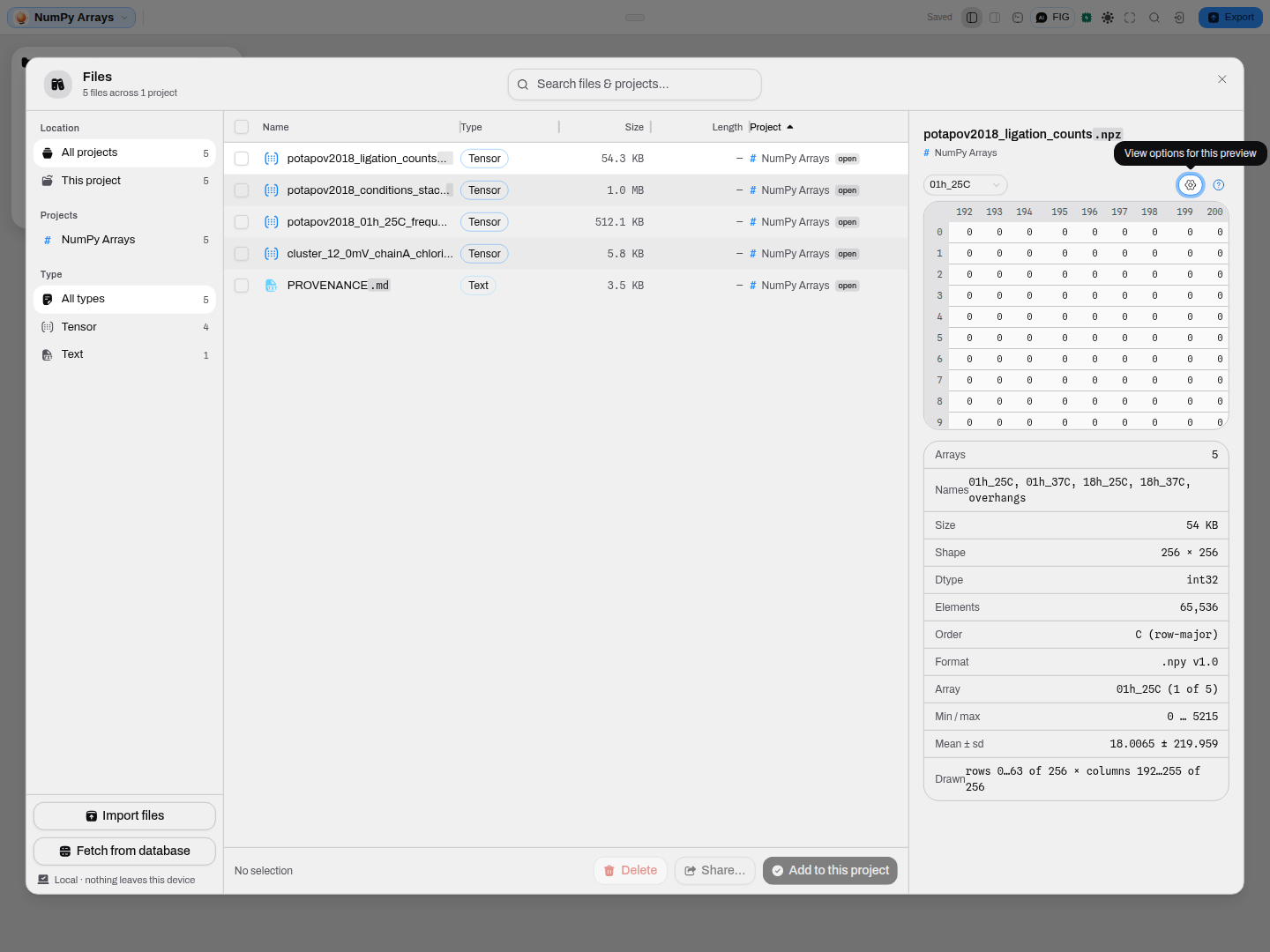 A five-member archive. The picker chooses the array; the facts below carry the shape, the dtype, the storage order, the header version and the statistics.
Performance and limits
- The header is read without the data. Shape, dtype and version come from the first few hundred bytes, so a file's identity costs nothing regardless of how large the array is. That is also what lets a file that can never be drawn still be described.
- Only the cells on screen are decoded. Moving the window re-reads that window and nothing else, so stepping through a 1,000-slice stack costs one face at a time rather than the whole array.
- Arrays over 128 MB are refused rather than loaded, with the size stated. Save a slice with
numpy.saveto look at it. - The drawn window is bounded to keep the grid legible, and the exact rows and columns on screen are always stated — with the controls to move that window over the whole array.
Provenance of correctness
The reader is checked against NumPy itself. Its test vectors are written by numpy 2.4.6 and asserted value-for-value: 74 array files spanning 63 distinct dtypes, both byte orders, C and Fortran storage, 0-dimensional through 4-dimensional shapes, empty arrays, all three header versions, and both archive forms — 88 checks in all, with the counts asserted so the sweep cannot silently narrow.
The bundled sample arrays were additionally compared cell-for-cell with numpy.load, floating-point
values bit-exact rather than rounded, and the statistics shown in the panel match numpy's own
min, max, mean and std to every digit displayed.
Related
Arrays are what a Python or R analysis hands back: a count matrix, a distance or contact map, a set of model outputs, a stack of per-condition measurements. This canvas exists so that looking at one does not mean starting an interpreter — the same reason Parquet opens without pandas.