
Tree viewer
| Document kind | tree |
| Drawn from | a file — it can also be previewed in the file manager |
| Formats that open here | Newick · Guide tree · NEXUS tree · NeXML · PhyloXML |
| Refuses to draw below | 220px wide |
What it draws
A phylogeny: taxa at the tips, inferred common ancestors at the internal nodes, and branches whose length is a distance — by default, substitutions per site.
Four things are on the drawing, and each answers a different question:
| Mark | What it means |
|---|---|
| A branch | Evolutionary distance. Its length is the estimate; the scale bar is what turns pixels into that estimate |
| A node | An inferred common ancestor of everything below it. It is a hypothesis, not an observation |
| A number at a node | Branch support. It is one of several different measures and the drawing names which one, because they are not interchangeable readings of the same scale |
| The scale bar | The unit the drawing is in. Without it a phylogram is a picture with no measurements in it |
What opens in it
Newick (.nwk .newick .tree .tre .dnd), NEXUS (.nex .nexus), NeXML (.nexml, and
.xml when the contents say so) and PhyloXML. The format is read from the contents, not the
extension — which is what lets a generic .xml holding a real NeXML tree open correctly.
Two things are deliberately dropped on the way in. A file holding several trees opens the first and names the others rather than silently loading three drawings into one canvas. And a file that is not a tree is refused with a reason: a FASTA read as a one-tip tree would compare, export and draw exactly like a real result.
What does not open here: an alignment (that is the alignment canvas, even though a guide tree comes out of one), and a distance matrix (a table).
What this computes
The phylogeny is inferred elsewhere; the branch lengths and support values arrive in the file. What this canvas computes is the drawing — and on a tree the drawing is an interpretation, so each of these is a claim it makes on your behalf.
- Four layouts, each a different geometry over the same topology: rectangular, slanted, circular, and unrooted. For the unrooted layout you choose the algorithm — equal angle (fast, divides the angular space by subtree size) or equal daylight (iteratively evens the blank space around each node, so long branches stop crowding their neighbours).
- Three branch transforms, which change what horizontal distance means: phylogram (branch lengths as given, so distance is substitutions per site), cladogram (lengths discarded, topology only), and Grafen depth (lengths recomputed from each node's depth in the tree, for a tree whose own lengths are absent or not comparable).
- The scale bar, chosen at a round value (0.05, 0.1, 0.2) so a branch can be measured against it by eye. It is the only thing that makes a branch a quantity, and switching to a cladogram replaces it with the words Cladogram — branch lengths not to scale rather than leaving a bar that no longer means anything.
- Zero-length branches, counted. A zero-length branch is an unresolved split drawn as though it were resolved, and a bifurcating drawing always looks decided, so the status line reports how many there are.
- Whether the drawing implies a root the data does not have. An unrooted tree laid out rectangularly has an apparent root that is an artefact of the layout, and the viewer says so above the drawing.
- Support labels above a threshold you set, and optional colouring by support. Read them for what they are: how often a grouping recurred across resampled replicates, not the probability that the clade is true. A clade with 27 is drawn exactly like a clade with 100. Colouring uses the two thresholds the literature already reads against — 95 and 70 — in three bands rather than a continuous ramp, because a gradient invites reading a precision the replicates do not carry. The three colours are the colour-blind-safe palette of Wong, Nature Methods 8, 441, so the bands stay distinguishable to the roughly 8% of men with a red–green deficiency; the numbers are printed beside the branches either way, and the colour is never the only carrier of the reading.
- Which format it is reading, from the file's contents rather than its extension — which is what
lets a generic
.xmlholding a real NeXML tree open correctly, and what lets a file that is not a tree be refused with a reason instead of drawn as a one-tip tree.
Reading it
- Horizontal distance is the measurement; vertical position is not. The order of tips down the page is a drawing convention. Two tips adjacent on the page are not therefore related — read the branching, not the neighbours.
- The scale bar is the only thing that makes a branch a quantity. It is drawn at a round value (0.05, 0.1, 0.2) so a branch can be compared against it by eye.
- A cladogram is not to scale, and says so. Switching branch lengths off replaces the scale bar with the words Cladogram — branch lengths not to scale, because the drawing then carries topology only.
- An unrooted tree drawn rectangularly has an apparent root that is an artefact. The viewer says so above the drawing. The unrooted layout is the honest picture of the same tree.
- A zero-length branch is an unresolved split drawn as if it were resolved. The status line counts them, because a bifurcating drawing always looks decided.
- Support numbers are not probabilities that a clade is true, and
100,86and53look identical whichever measure wrote them — a bootstrap proportion counts how often a clade recurred under resampling, a likelihood-ratio support asks how much better this branch is than its two nearest rearrangements, and a tree read from a file carries numbers whose measure the file does not record. The caption under the drawing says which of those you are looking at. A clade with 27 is drawn exactly like a clade with 100.
Controls
Layout (rectangular · slanted · circular · unrooted) · for the unrooted layout, which algorithm draws it (equal angle or equal daylight) · branch transform (phylogram · cladogram · Grafen depth) · branch-length labels · support labels above a threshold · colour by support · font size · taxon search · pan and zoom · fit to view.
The two unrooted algorithms and the three branch transforms are the same ones the Phylogenetics tool offers, and they mean the same thing here — the viewer and the tool read one declaration of each, so a tree opened as a file and the same tree built in the panel cannot disagree about what "Grafen depth" draws. Grafen needs the tree's own text to derive its depths from, so on the rare preview where that is not available the option is simply not offered rather than shown doing nothing. Right-clicking a node offers select-clade, root here, rotate, remove / keep only, copy the tip labels, and copy the clade as Newick.
Reading controls survive into the file-manager preview; the ones that edit the tree (rooting, pruning, collapsing) do not — a preview must not change the document it is previewing.
Where it appears
As a stage tab when a tree file is opened, as a read-only preview in the file manager, and as the project cover. One tree is shown at a time: opening a second tree replaces the first and the tab takes the new file's name.
Performance and limits
Height follows the tip count — one readable line per tip — so a 218-tip tree is about 4,800 px tall and is navigated by pan and zoom rather than by scrollbar. The radial layouts are sized by area instead, since their tips sit on a rim rather than in rows.
Long names in a narrow pane clip rather than squeezing the tree to a sliver; the label gutter is capped at 45% of the room the drawing has. Below 220 px wide the canvas refuses to draw at all, which is honest about a drawing that would be unreadable.
Screenshots
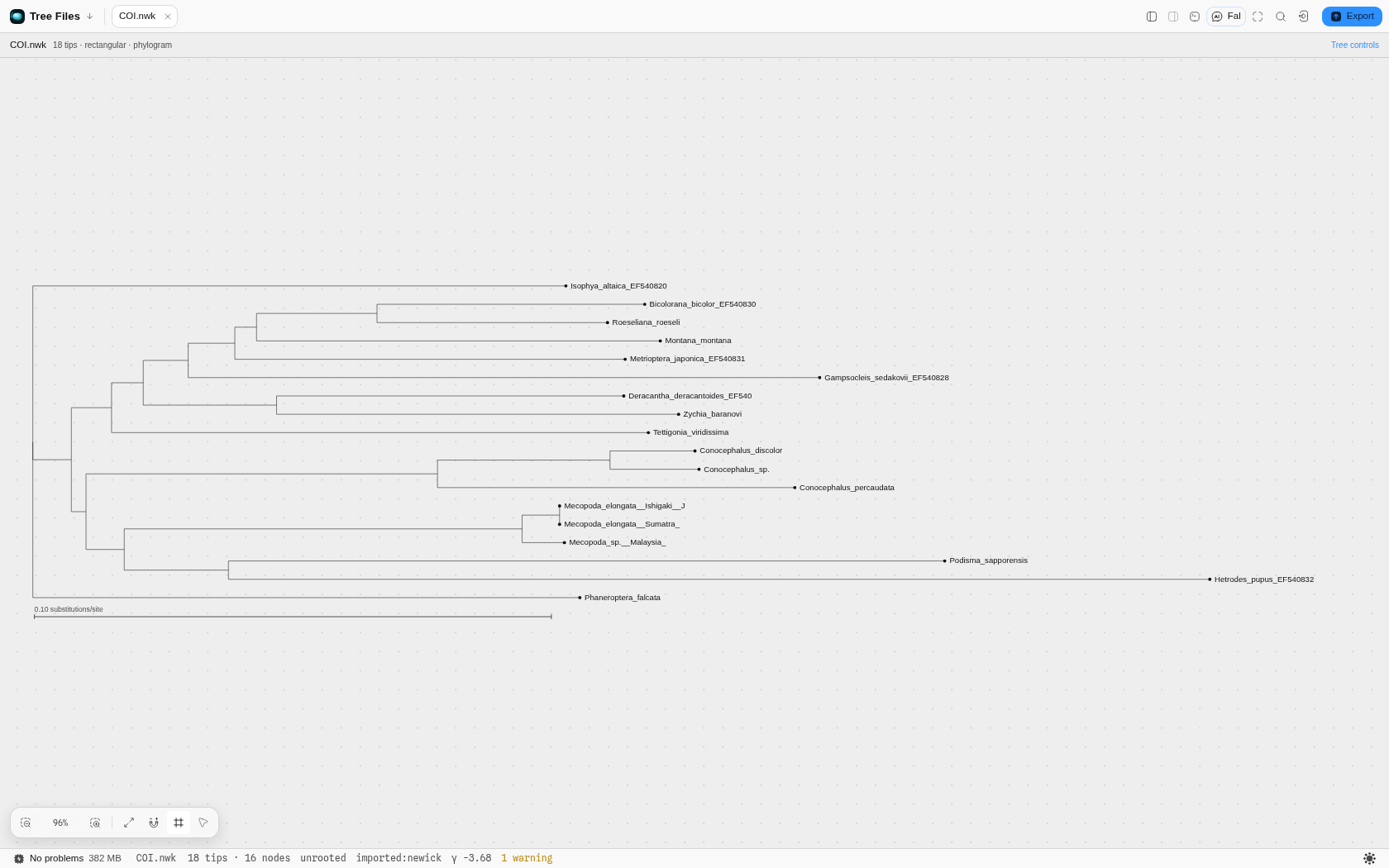 An 18-tip cricket COI tree opened from a Newick file, with the scale bar at 0.10 substitutions/site.
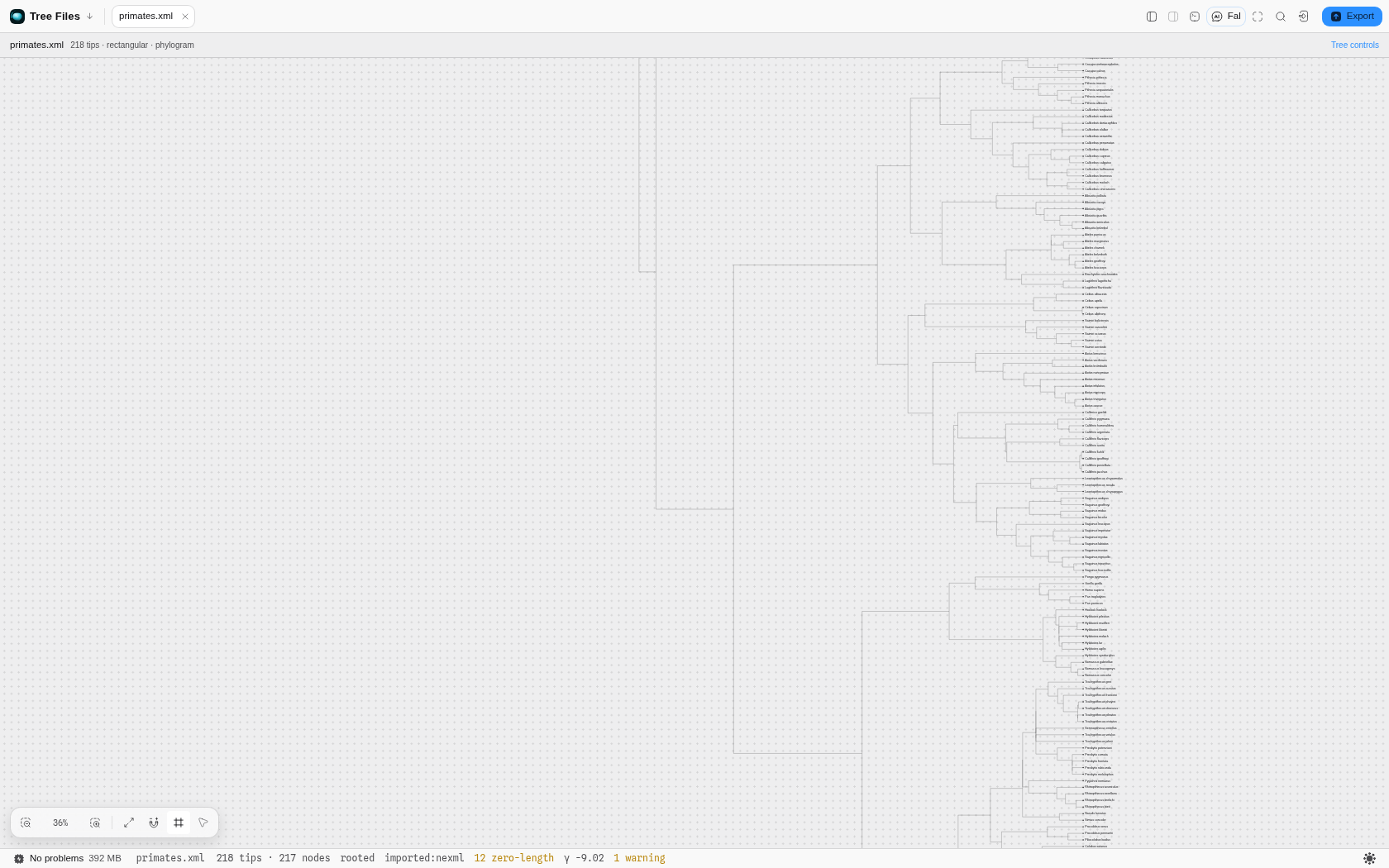 A 218-taxon primate chronogram from a NeXML file, with every taxon name resolved through the file's
otus block rather than left as an internal id.
Related
Written to by Phylogenetics, which infers the tree and can save it back as a project file. Read by the alignment canvas, which can sort its rows into the tree's tip order.